


If this is the first time you are trying to advertise on Google Ads, Google’s search advertising network, there are a few things you need to know before you start building your first campaign. This article is designed to help those starting their first campaign in Google Ads. For the campaign to succeed and work in the best possible way, there are several things you must know before setting up a Search Network campaign.
For the campaign to succeed and work in the best possible way, there are several things every campaign manager must know:
1. Keyword Research – When we approach building a campaign on Google Search, we must choose the keywords that we want to trigger the ads we wrote for the user. How do we know which keywords to choose? For this purpose, Google Ads has a tool called the “Keyword Planner”. When you enter the keywords you think are relevant to you, you will get results for each word or phrase, including the average monthly searches, the highest and lowest bids received for that search term, and more. This way, you can know the scale of the audience you can reach, as well as how much you will have to pay for each click on the ad.

In the attached example, you can see what happens when checking the keyword phrase “sponsored advertising on Google”. The tool displays data for the phrase and also shows data for similar phrases. For example, you can see that for “sponsored advertising on Google”, there are an average of 260 searches per month, and click costs will likely be high. In contrast, for the phrase “sponsored advertising”, there are fewer searches, 210 on average per month, but click costs will likely be lower.
Keyword research is an integral and inseparable part of setting up a Google Search Network campaign. The ads and landing page will be written according to the chosen words.
2. Quality Score – This is a score on a scale of 1 to 10 designed to rank the quality of your ad compared to your competitors’ ads. The score is given at the keyword level, and the higher the score, the more relevant the ad you wrote and your landing page are for whoever typed the keyword into Google.
The Quality Score is calculated based on 3 components:
A. Expected Click-Through Rate (CTR) – The likelihood that users will click on your ad when it is displayed.
B. Ad Relevance – How relevant the ad is to the intent of the user who typed the keyword.
C. Landing Page Experience – The degree of usefulness that the landing page user experience provides to the user who clicked on the ad.

Google does not give a numerical score to these three components, but rather indicates whether they are “Above average”, “Average”, or “Below average”. In the example above, you can see 4 phrases where ad relevance and expected click-through rate are above average, but the landing page experience is below average. In order to improve the Quality Score of the keywords to be higher than 7, the campaign manager is required to improve the landing page to which the ad leads, and also to write an effective ad.
3. Ad Extensions – After we have written our ads, it is very important to also create ad extensions, which will increase your Ad Rank, the chances of your ad being shown compared to a competitor’s ad, and also increase the “real estate”—the space the ad occupies on the Google search page. Here are some of the extensions that should be created:
A. Sitelinks – This extension allows adding up to four additional links to the ad, besides the main link, leading to specific pages on the site. This gives the user more options, and clicking on a specific page will bring more relevant users and customers.
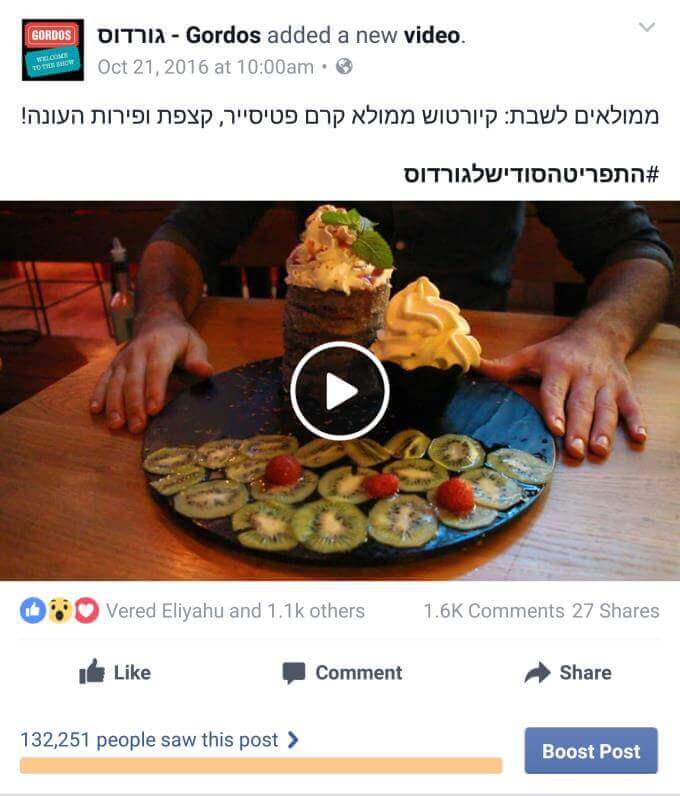
Example of a Sitelinks Extension
B. Call Extension – If you receive phone calls as part of your business/service, you can add a call extension directly in the ad itself, thus “saving” the user from visiting the site and allowing them to dial you immediately while still on the Google page.
C. Image Extension – Allows you to add images to the ad that will catch the user’s eye and increase the likelihood of them clicking on it.
D. Location Extension – This extension is mainly relevant for those with a physical business that the advertiser wants customers to visit. The extension attaches a map with the business location and business hours to the ad. Note – to use this extension, you must create a Google My Business profile and link it to your Google Ads account.
E. Structured Snippet Extension – Allows adding information beyond what you wrote in the ad itself. You are asked to write 3 short headers, and Google’s algorithm will append them to the ad text.
F. Callout Extension – Allows adding several short texts of up to 25 characters each, which will be added to the ad text, provide more information for the user, and expand the ad’s “real estate”.
G. Lead Form Extension – A form attached to your ad where the user can leave details, thus “skipping” the visit to your landing page.
H. Price Extension – Displays a price next to the product or service you are advertising on the ad. On the one hand, this extension may deter some users from clicking on the ad. On the other hand, users who do click will be “warmer” leads who have seen the price of your product and are interested in it.
I. App Extension – This extension is relevant if your business has an app. The extension attaches a download link for the app to the user’s mobile device to the ad.
J. Promotion Extension – Here you can add special promotions to the ad according to categories offered by Google Ads (Back to School, Valentine’s Day, Passover, Women’s Day, etc.). You can add the discounted amount or discount percentage to the ad, an option to add a promo code, and limit the promotion to a specific date.
This is a list of most of the extensions Google offers for campaign managers in Google Ads. It is recommended to use as many of them as possible to increase the Ad Rank and improve the CTR by making the ad stand out more.
4. Landing Page Optimization – All the work we invested in building the campaign, choosing keywords, and writing ads will not be enough if the landing page is not relevant to the user. The landing page must be tailored as much as possible for a quality user experience, both in terms of content (matching the content of the ad the user clicked on) and UI/UX (adapting the interface and design for an optimal user experience).
Even after the campaign goes live, adjustments and changes must be made to the landing page based on results to ensure our performance is maximized.

5. Campaign Tracking and Optimization – After launching the campaign, our job is far from over. Now we must conduct ongoing tracking, which includes excluding irrelevant search terms, excluding keywords that do not yield the desired results, adding new keywords as needed, rewriting and refining ads, raising and lowering bids according to cost-per-click, and additional tools to improve your Google Ads campaign.
Summary
In conclusion, for your campaign to work in the best possible way, you must familiarize yourself with the tools Google offers and apply them both during the campaign setup and after launching it. Proper use of the tools Google provides, along with the knowledge accumulated by professionals in the campaign management world, is the key to a successful campaign.
About the Author
The article was written by Dor Danino, Account Manager at INCA, which specializes in digital marketing.
